
In today’s digital age, tablet displays have become a crucial element of how people interact with technology. These sleek devices blend portability with impressive visual quality, making them ideal for everything from streaming movies to graphic design. With advancements in screen technology, users can now enjoy vibrant colors and sharp resolutions that enhance their overall experience.
As tablets continue to evolve, understanding the various types of displays available is essential. From LCD to OLED, each technology offers unique benefits that cater to different needs. Whether for work or play, the right tablet display can significantly impact productivity and enjoyment, making it vital to choose wisely.
Overview of Tablet Displays
Tablet displays play a crucial role in user experience, influencing how individuals interact with digital content. Understanding the various aspects of tablet displays helps users make informed decisions when selecting a device.
Types of Tablet Displays
Tablet displays mainly include LCD, LED, OLED, and AMOLED technologies.
- LCD (Liquid Crystal Display): LCDs offer good color accuracy and brightness. They provide a cost-effective solution for budget tablets, making them common in entry-level devices.
- LED (Light Emitting Diode): LED displays enhance LCD technology by improving brightness and energy efficiency. They deliver better contrast ratios, resulting in more vivid colors.
- OLED (Organic Light Emitting Diode): OLED displays feature self-illuminating pixels, allowing for deeper blacks and higher contrast. They consume less power and provide wider viewing angles, making them ideal for multimedia use.
- AMOLED (Active Matrix OLED): AMOLED technology combines OLED with an active matrix, producing rapid pixel response times. This results in sharper images and improved color reproduction, often found in high-end tablets.
Key Features to Consider
Several key features determine the quality of a tablet display.
- Resolution: Higher resolutions, such as Full HD (1920 x 1080) or 4K (3840 x 2160), offer clearer images and improved detail for tasks like graphic design or video consumption.
- Color Accuracy: Color gamut and accuracy impact image quality. A broader color spectrum supports better reproduction of hues, enhancing visual experiences for artists and photographers.
- Brightness Levels: Measured in nits, higher brightness levels improve visibility in various lighting conditions. Ideal tablets feature brightness levels above 300 nits for outdoor use.
- Refresh Rate: Refresh rates measure how often the display updates per second. Higher rates, like 120Hz or 144Hz, provide smoother visuals, benefiting gaming and animation tasks.
- Screen Protection: Durable glass, such as Gorilla Glass, protects against scratches and impact. This is essential for maintaining display quality over time.
Each aspect contributes significantly to user satisfaction and performance, guiding choices based on individual needs and preferences.
Performance of Tablet Displays
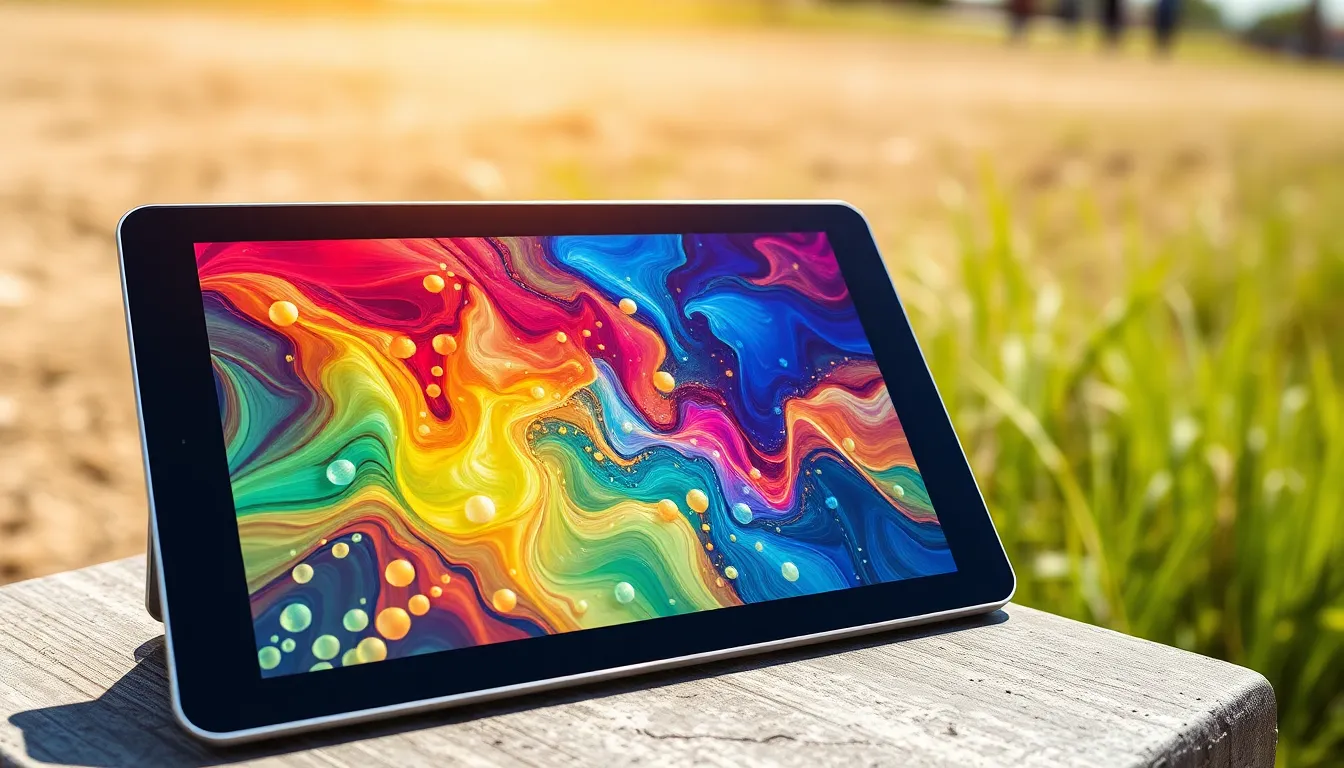
Performance of tablet displays hinges on several critical factors that impact user experience and functionality.
Resolution and Clarity
Resolution determines the clarity of images on tablet displays. High-resolution screens, such as 4K or Full HD, deliver sharper images and fine details. Pixels per inch (PPI) measures density, with higher PPI resulting in crisper visuals. For example, a tablet with a resolution of 2560 x 1600 offers excellent clarity for text and images, enhancing usability in tasks like reading and photo editing. Clarity is particularly vital for graphic designers and video editors who require precision.
Brightness and Color Accuracy
Brightness and color accuracy are essential for optimal display performance. Brightness, measured in nits, affects visibility in different lighting conditions. Tablets with at least 400 nits provide good performance outdoors. Color accuracy, often measured against sRGB or Adobe RGB standards, ensures that colors appear true to life. A tablet with high color accuracy supports better image editing and media consumption. For instance, displays supporting 100% of the sRGB color space yield vibrant and lifelike colors, crucial for creative professionals.
Technology Behind Tablet Displays
Tablet displays utilize advanced technologies to provide improved visuals and user experiences. Understanding these technologies is essential for optimal performance and enjoyment.
LCD vs. OLED Technology
LCD (Liquid Crystal Display) and OLED (Organic Light-Emitting Diode) represent two predominant display technologies in tablets.
- LCD: LCD displays consist of liquid crystals manipulated by electric currents, with backlighting that enhances brightness. They are typically more affordable and energy-efficient in bright settings. However, they can struggle with deep blacks and color reproduction.
- OLED: OLED displays, on the other hand, feature individual light-emitting diodes for each pixel. This technology offers deeper blacks, higher contrast ratios, and more vibrant colors, making it ideal for media consumption and graphic design. Although generally more expensive, OLEDs provide superior viewing angles and faster refresh rates.
Refresh Rate and Response Time
Refresh rate and response time significantly impact display performance.
- Refresh Rate: Measured in hertz (Hz), the refresh rate indicates how often a screen updates its image per second. Higher refresh rates, such as 120Hz, result in smoother motion and improved responsiveness, especially beneficial for gaming and video playback.
- Response Time: Response time measures how quickly a pixel can change colors. Lower response times reduce motion blur, enhancing clarity during fast-paced scenes. Displays with a response time under 5 milliseconds offer a more enjoyable experience during gaming and high-motion activities.
Understanding these aspects helps consumers select tablets that meet their needs effectively.
User Experience and Practicality
Tablet displays significantly impact user experience and practicality. The effectiveness of interaction and overall satisfaction stems from various display characteristics.
Touch Sensitivity and Responsiveness
Touch sensitivity plays a crucial role in user interaction with tablets. High-quality displays offer responsive touchscreens that register inputs accurately and quickly. Rapid response times, often around 60 Hz or higher, reduce delays during navigation and app usage. Advanced technologies, such as capacitive touch screens, detect multiple points of contact, allowing for gestures like pinch-to-zoom. Tablets with superior touch sensitivity enhance productivity for tasks like drawing or note-taking, providing a seamless experience.
Viewing Angles and Comfort
Viewing angles affect readability and comfort, especially during collaborative tasks. IPS (In-Plane Switching) technology ensures wide viewing angles, typically up to 178 degrees, allowing users to see the screen clearly from various positions. This feature is essential for presentations and sharing content with others. Additionally, color and brightness remain consistent across different angles, improving user experience during group activities. Proper screen brightness and anti-glare coatings contribute to comfort, reducing eye strain during prolonged use, which is vital for students, professionals, and casual users alike.
Tablet displays play a crucial role in shaping user experiences in today’s digital landscape. The advancements in display technology ensure that users enjoy vibrant visuals and responsive interactions. By understanding the differences between display types and their unique features, consumers can make informed choices that best suit their needs.
Whether for creative tasks or everyday use, the right tablet display can significantly enhance productivity and enjoyment. As technology continues to evolve, staying informed about these developments will empower users to select the perfect device for their lifestyle. Investing in a quality tablet display is not just about aesthetics; it’s about enhancing functionality and overall satisfaction.